
 LinkedIn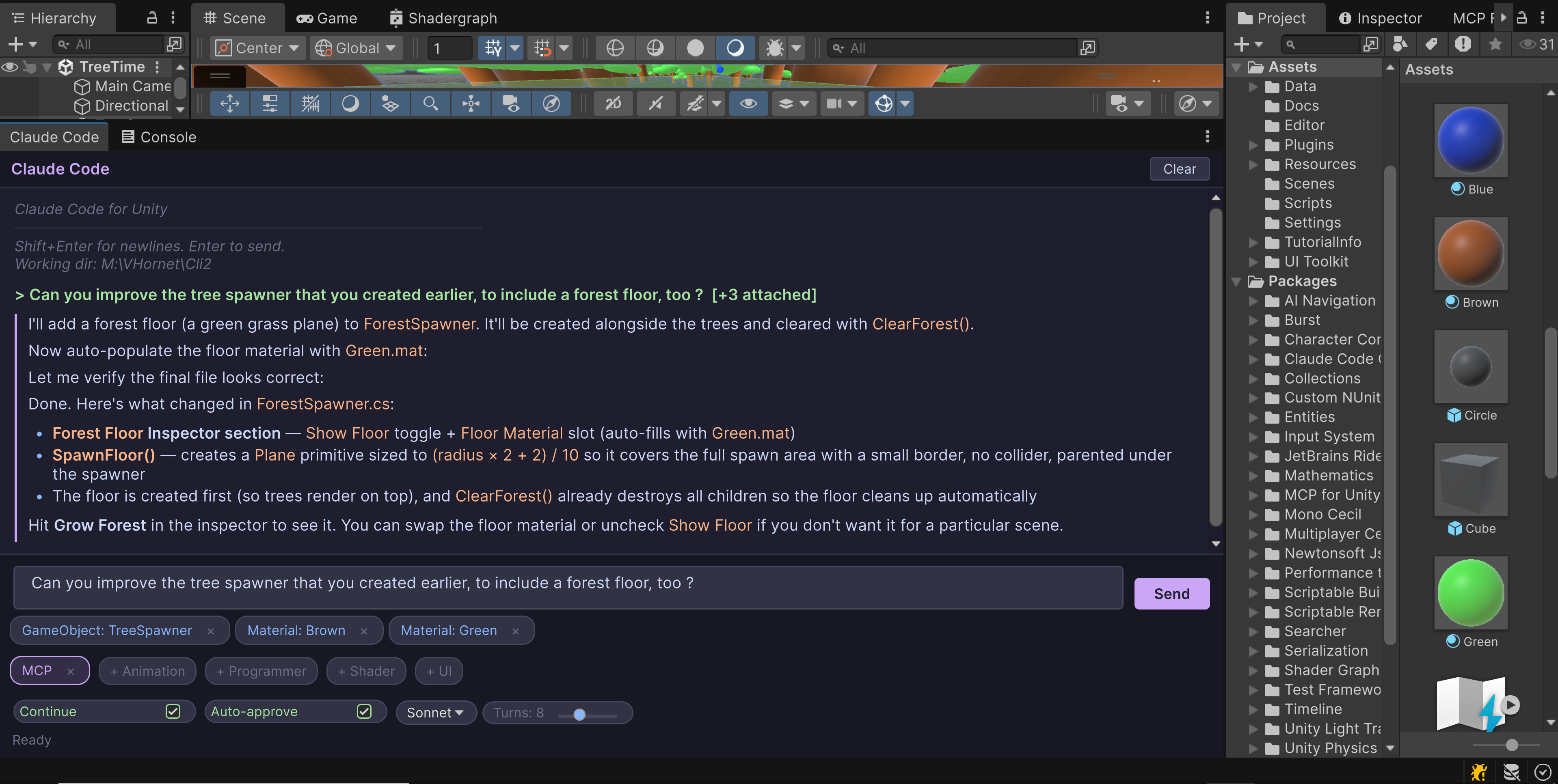
The Problem
Every AI-assisted game dev workflow I've seen follows the same pattern: copy code out of Unity, paste it into a chat window, read the response, copy the fix back, hope nothing broke. Repeat.
Recently, MCP plugins have become really in vogue for development in Unity, so you can just sync it up using Cursor. That's great if you're a dev, but it's tough if you're not a programmer or just need quick, easy references within the project.
I wanted something better. I wanted to talk to an AI inside Unity, have it see my scene, understand my project structure, and make changes directly. I needed my art and creative teams to be able to A/B test without fear and limitation. I wanted creative people to be able to see what Unity is really capable of.
So I built it.
What It Does
Claude Code CLI is a Unity Editor package that gives you a fully integrated AI development partner. Open it with Ctrl+Shift+K, type what you need, and Claude goes to work — creating scripts, editing files, inspecting your scene — all streamed back to you in real-time with rendered markdown, code blocks, and UI-based buttons to answer Claude's questions or copy lines directly from the terminal.
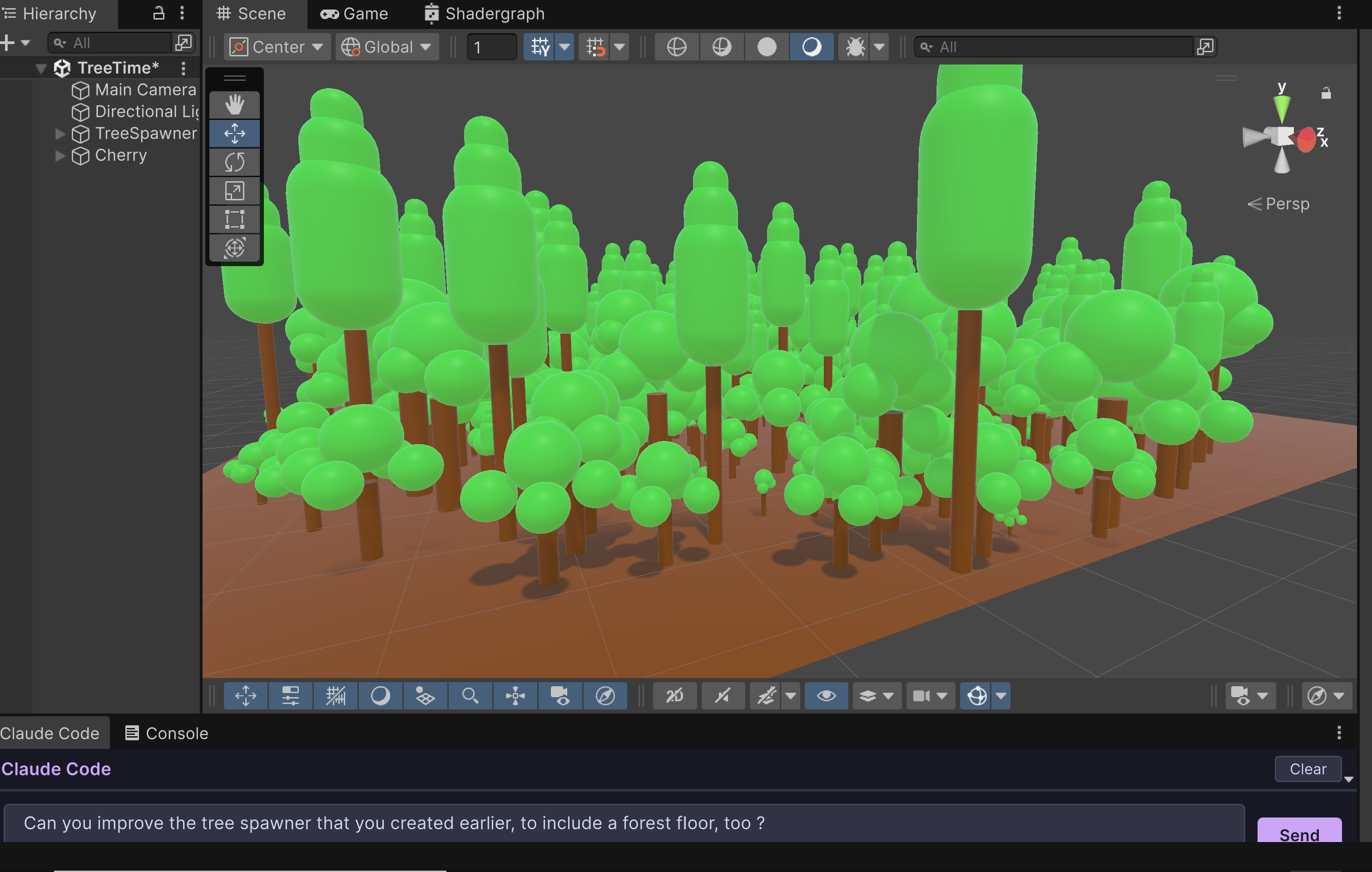
The features that matter most:
Drag-and-drop anything. Grab a GameObject from your hierarchy, a prefab from your project, a C# script — drop it on the input field. Claude immediately understands what you're referencing. Scene objects get their full hierarchy path and component list. Scripts get their contents. No manual context-building required.
Real-time streaming. You see Claude's output as it types — thinking steps, tool calls, code blocks — all rendered live. It's not a "submit and wait" experience. You watch the AI work.
Smart agent system. Type a prompt about UI and it automatically activates the UI specialist agent with knowledge of UI Toolkit and UGUI best practices. Ask about shaders and the shader agent kicks in. You can also create your own custom agents by dropping markdown files in your project.
MCP integration. The package runs a Model Context Protocol server that gives Claude direct access to your Unity Editor — it can query scene hierarchies, inspect components, read properties, and understand your project the way you do. It auto-registers with Claude CLI when you open the window. Use this or your favorite alternative (CoPlay has an amazing MCP integration tool).
Domain reload safety. This was the hardest engineering challenge. Unity recompiles C# whenever you change a script, which kills running processes. The tool locks assembly reloading during active requests, serializes all state (conversation history, input text, attachments), and auto-continues after reload with full context. Your conversation never breaks.
Under the Hood
The architecture is ~2,500 lines of C# split across clean, focused components:
- ClaudeProcess spawns
claude -pas a subprocess, parses NDJSON output on async reader threads, and feeds chunks through a thread-safeConcurrentQueuewith zero locks on the main thread. - MarkdownRenderer is a custom block-level parser built specifically for UI Toolkit. Headers, code blocks with syntax labels, tables, lists, blockquotes — all rendered as native Unity visual elements, not web views.
- AgentDiscovery scans both built-in and project-level agent definitions (markdown files with YAML frontmatter), scores them by keyword matching against your prompt, and injects the top matches as context. Project agents override built-in ones by name.
- DragDropHandler distinguishes asset files (which Claude can read directly) from scene GameObjects (which need MCP inspection), extracts hierarchy paths and component summaries, and deduplicates attachments.
The whole thing is built on UI Toolkit, running as an editor-only assembly with zero external dependencies, and works cross-platform (Windows and macOS/Linux).
What I Learned Building This
Stream processing in Unity is tricky. You can't touch UI from background threads. The solution: async reader threads push to a ConcurrentQueue, and EditorApplication.update polls the queue on the main thread. Simple pattern, but getting the edge cases right (process crashes, domain reloads, cancellation) took real effort.
Every piece of state needs to survive serialization. Every running process needs graceful shutdown and recovery. I went through several iterations before landing on the current approach: lock assembly reload (but still allow asset imports and MCP calls), serialize everything, auto-continue with injected context about what was happening before the reload.
The agent system doesn't modify Claude's system prompt. It builds contextual preambles from composable markdown definitions. This means agents are just files — easy to write, easy to share, and easy to override per-project. The _Base.md always loads with global Unity conventions, then specialized agents are layered on top.
Why This Matters
Game development is one of the most complex creative-technical disciplines out there. You're simultaneously dealing with rendering, physics, input, UI, networking, audio, animation, and game logic — often in the same session.
Having an AI that lives in your editor, sees what you see, and can act on your project directly isn't just convenient. It changes how you think about building games. You start describing systems instead of typing boilerplate. You drag a broken prefab onto the chat and say "fix the collider setup." You sketch out a mechanic in plain English and watch it materialize.
For non-programmer creatives and teammates, this is invaluable. It is what AI-assisted development in Unity should feel like.